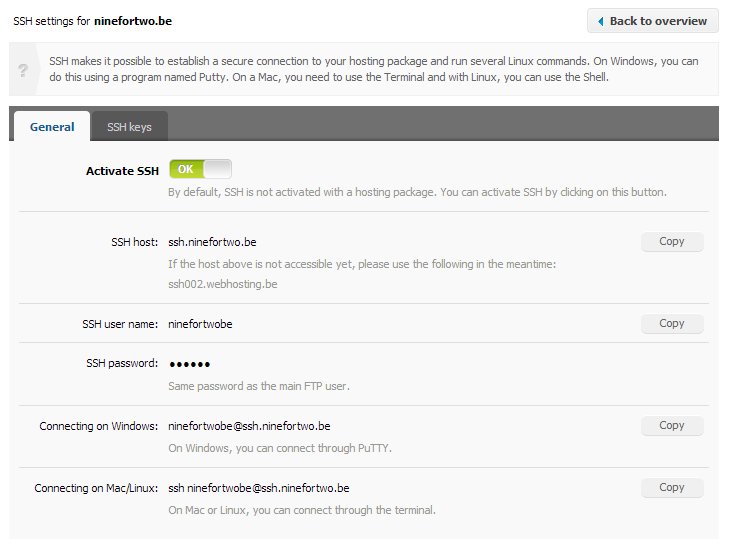
To begin with, please pay attention to the fact SSH is only available with Linux hosting accounts. To activate it, please follow the steps below.
- Click on ‘Reseller’ at the horizontal menu at the top of your control panel.
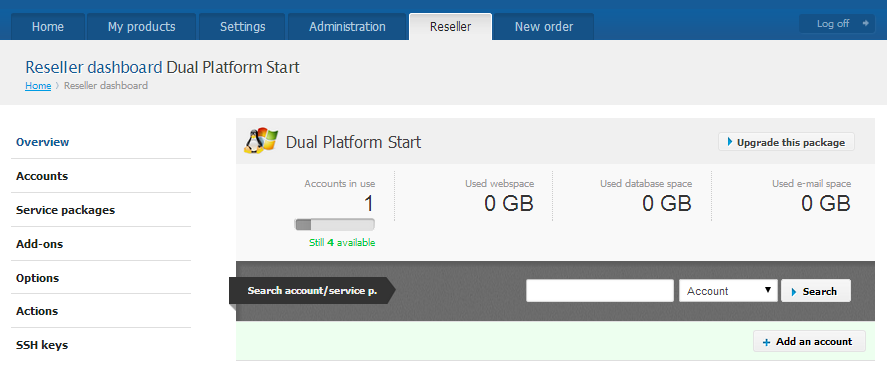
- From the vertical menu to your left choose ‘Accounts’.
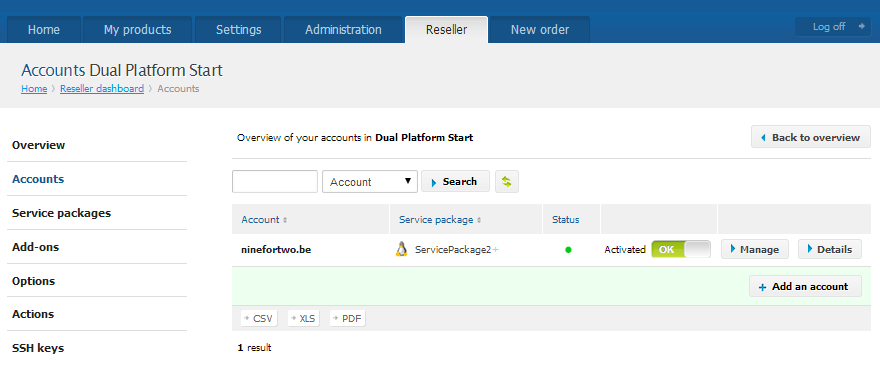
- Locate the Linux account you want to activate access for and click on ‘Manage’.
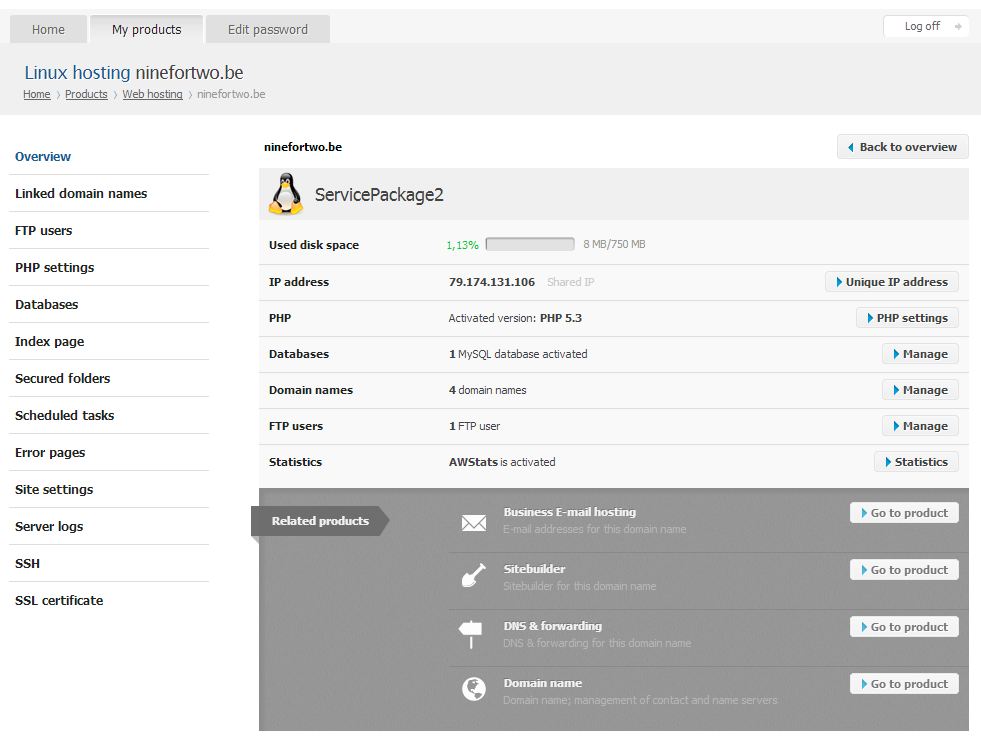
- To your left go to ‘SSH’.
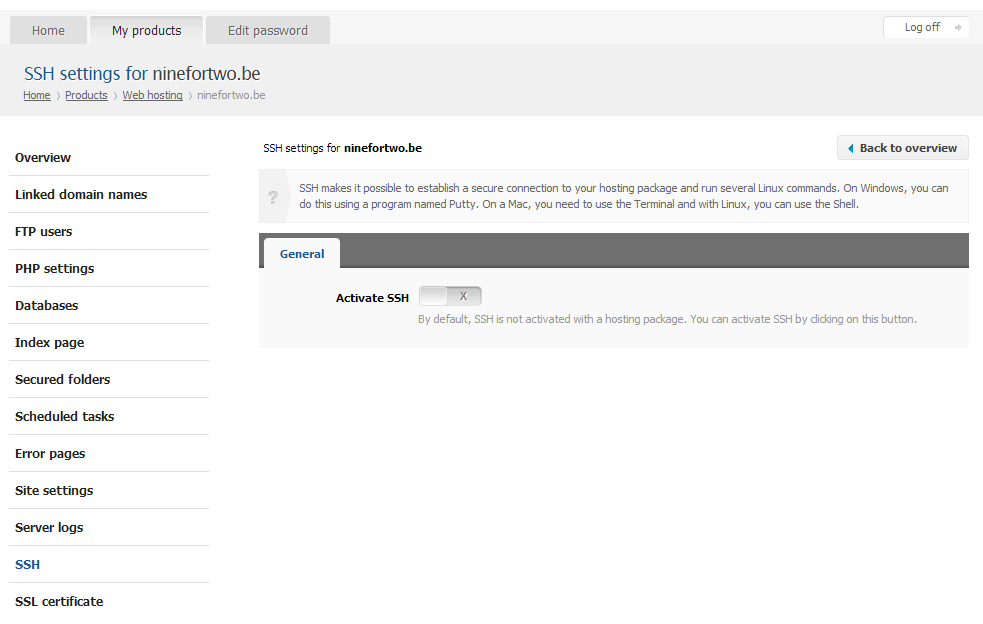
- Click on ‘Activate’.
- The SSH details will show.