The reseller control panel offers you to upgrade existing database and email accounts as an additional service.
To create an option, please follow the steps below.
- Click on ‘Reseller’ at the vertical menu at the top of your control panel.
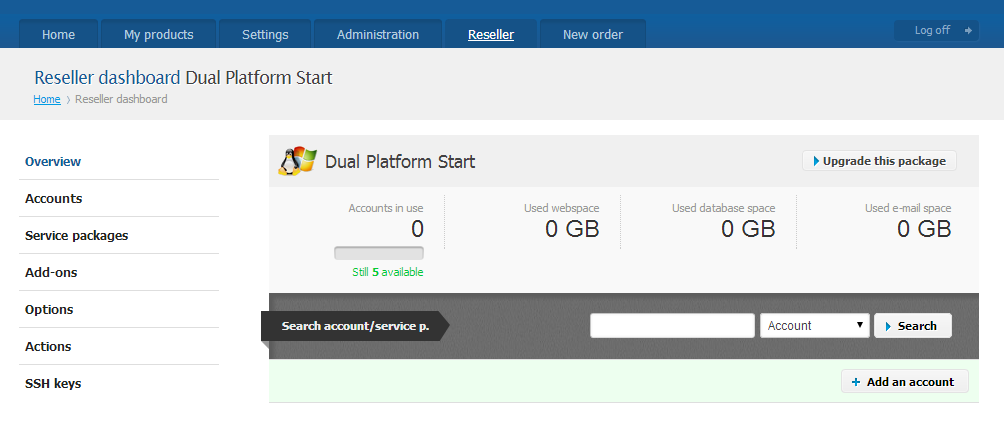
- From the vertical menu to your left choose ‘Options’.
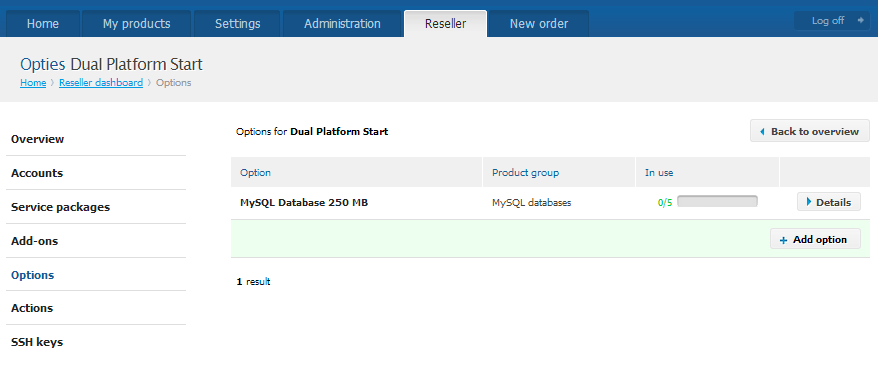
- Here you would see a list of all options you have already enabled. Navigate to the bottom right corner of the table and click on the ‘+ Add option’ button.
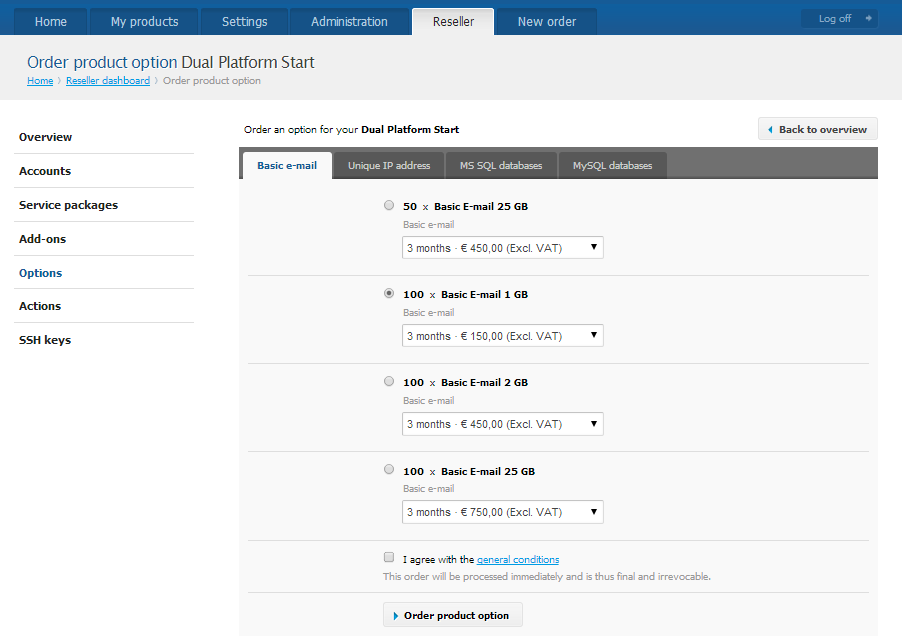
- You will see a list of all available upgrades for email. If you want to upgrade a database, go to the tab ‘MS SQL Databases’ or ‘MySQL Databases’.
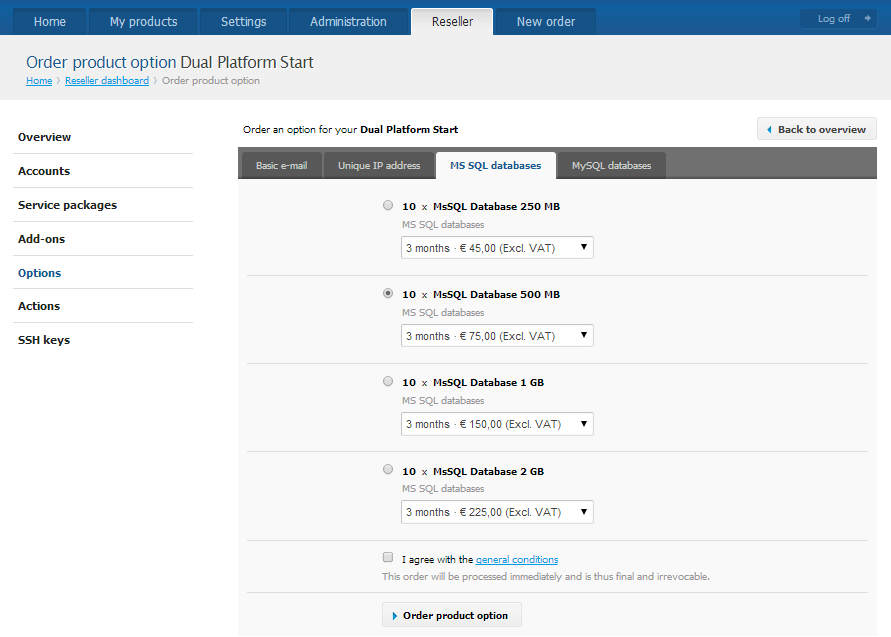
- Select a service, read and agree with the ToS and click on the ‘> Order Product Option’ button.
To use an option, please follow the steps below.
- Go to your database / mailbox (you can find this by clicking on ‘My products’).
- The option to upgrade the database / mailbox should be available.Ex.: Option: ‘MySQL Database 250 MB’
- Click on ‘My Products’ at the horizontal menu at the top of your control panel hosting (https://my.combell.nl/en).
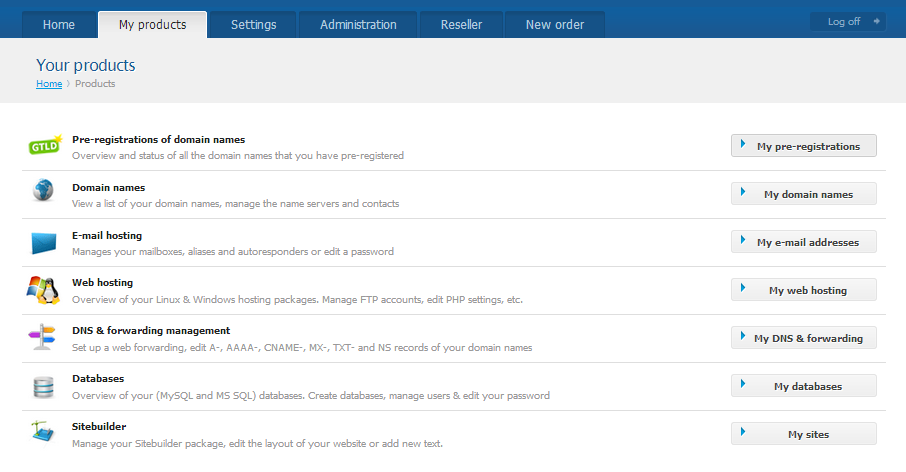
- From the vertical menu you choose ‘Database’.
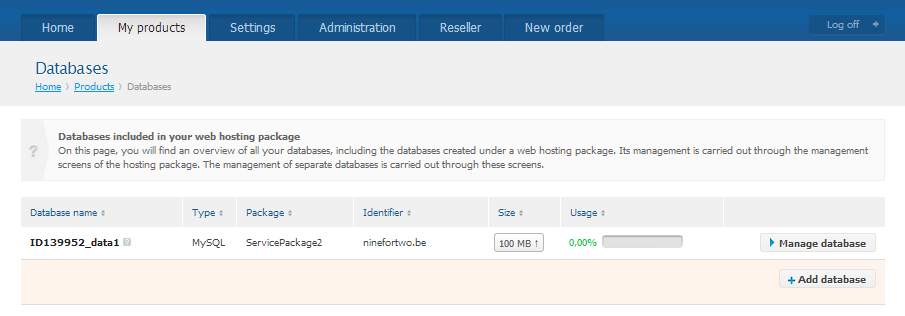
- In the column you can see the current size of the database with an upward pointing arrow next to it. Press it.
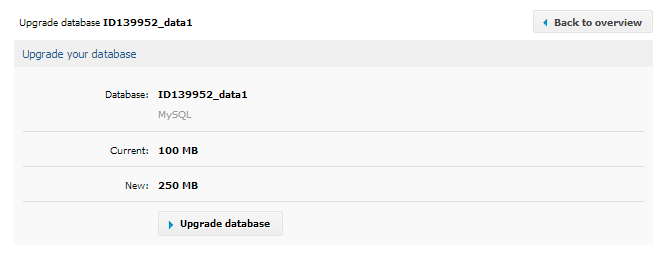
- Now click on ‘Upgrade database’.
- Click on ‘My Products’ at the horizontal menu at the top of your control panel hosting (https://my.combell.nl/en).