The domain name owner / registrant is the person authorized to manage the domain name. He can transfer the domain name from one registrar (provider) to another (transfer). He also manages the name servers of the domain name with which you determine which website appears with the domain name.
Change the registrant or owner of a domain name
Follow these steps in the control panel to check or change the owner of your domain name:
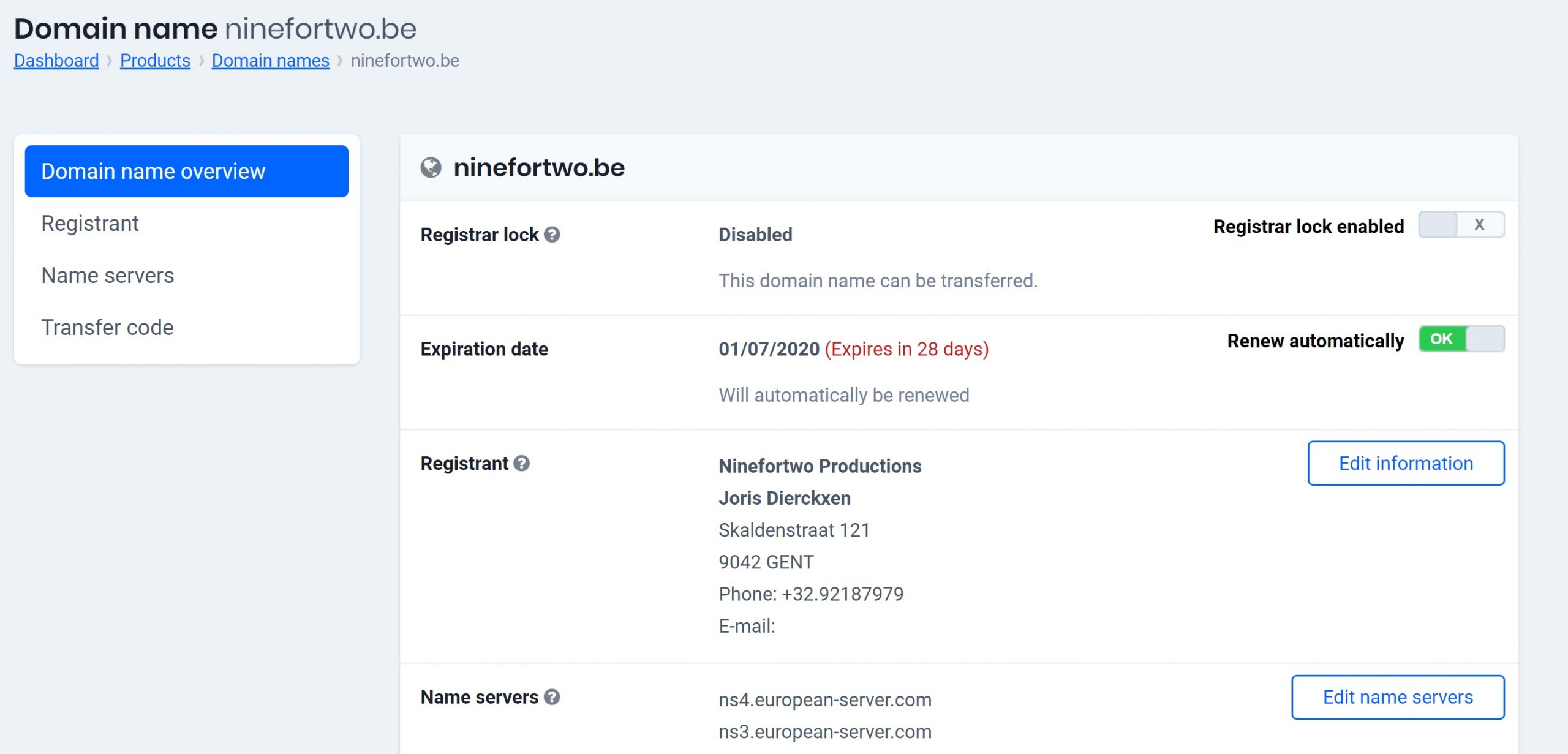
- Go to “My Products” > “Domain Names” > Click the “Manage Domain Name” button to the right of your domain name.
- You will now see an overview including the registrant (owner) of the domain name (see picture).
- To change the data, click on “Registrant” in the menu on the left.
Click on “Change data” to confirm your changes.
Changes are free, except in the following situations
Changing the registrant data is normally free of charge, with two exceptions.
- With some domain names (premium domain names) you cannot change the owner’s details yourself. If this occurs, you must request it via activation@combell.nl. They calculate the possible costs and change your data once you agree.
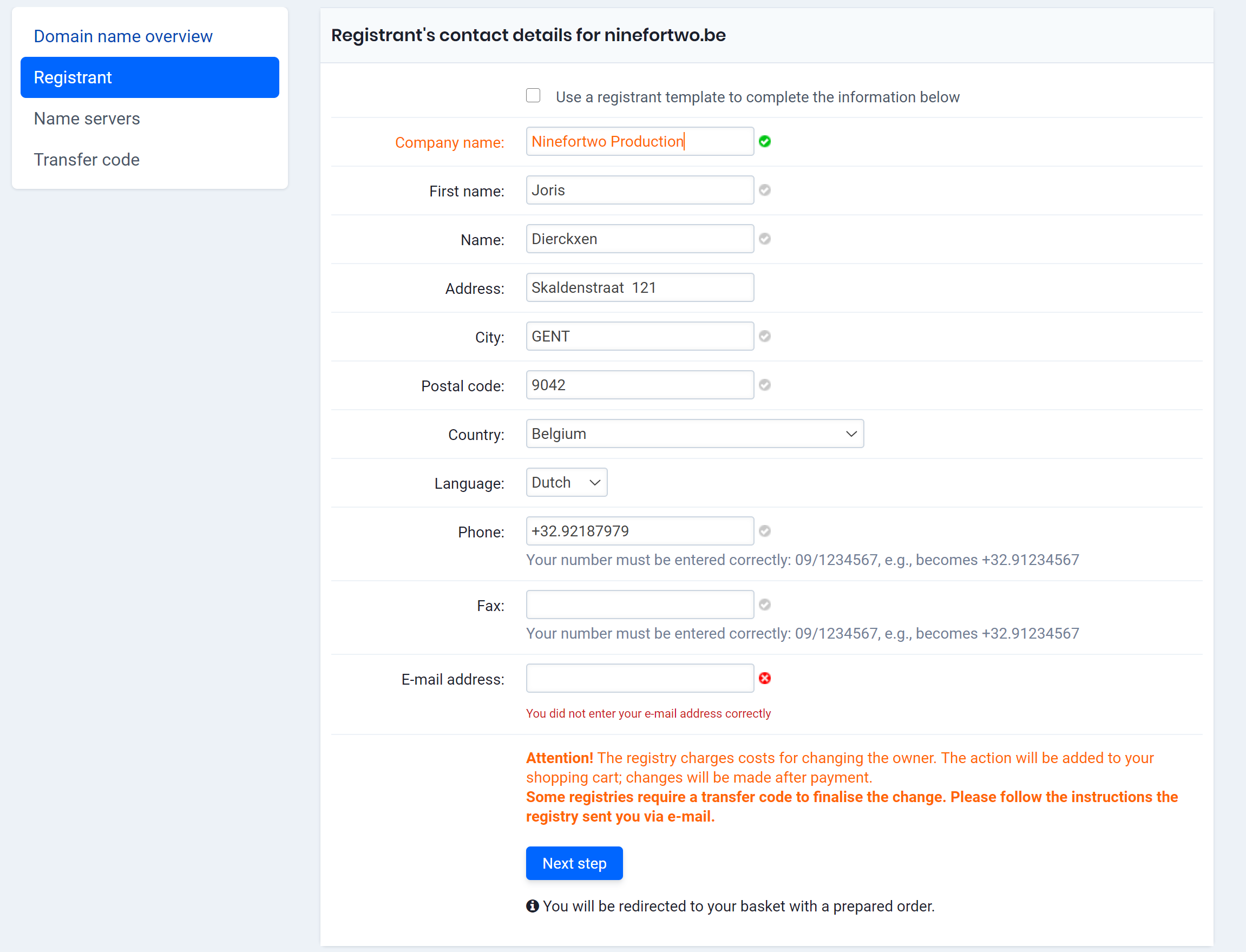
- With a .BE domain name, changes are free, except for the company name, first name and the name of the owner. If you want to change it, you will be notified that there are costs involved.
The control panel gives you the necessary feedback if a change is paid for (see screenshot).
Do you need a transfer code to change the registrant?
Normally, you do not need a transfer code to update the registrant details. However, there are exceptions!
For example, when changing the email address for a .be domain name, you will receive an email containing a transfer code. You must enter this code to confirm the change.
If you have any questions, you can always contact our specialists via activation@combell.nl